

Why AI Product Photography for E-commerce Is a Game Changer
AI product photography for ecommerce enables sellers to generate studio-quality images in minutes rather than days, at a fraction of the cost of traditional shoots. Whether you sell on Amazon, Etsy, or Shopify, AI-generated product photos meet platform requirements while keeping your visual branding consistent across every listing.
A professional product photoshoot for an e-commerce store typically costs between $500 and $2,000 per session, depending on the complexity of the shoot and the photographer's rates. For a store with 50 products, that adds up quickly. And every time you launch a new product or update packaging, you are back in the studio.
These costs create a real barrier for small and mid-size e-commerce businesses. Many end up using low-quality phone photos or generic stock imagery, which directly impacts conversion rates and brand perception.
What AI product photography can and can't do in 2026
AI product photography has reached a point where it can produce studio-quality images for most standard e-commerce use cases. Clean backgrounds, consistent lighting, and professional compositions are all achievable. AI handles product-on-white, lifestyle context shots, and even some complex material rendering well.
Where AI still struggles is with highly reflective surfaces, intricate mechanical details, and products that require exact dimensional accuracy. Performance varies a lot by category too. In 2026, AI is production-ready for some product types, a useful supplement to real photography for others, and still not reliable enough for a couple of categories that depend heavily on physical detail. Here is how it breaks down.
Apparel. Strong. AI handles fabric drape, seams, and simple texture well, especially on solid colors and standard cuts. Flat-lay and on-figure shots both work. The weak spot is complex prints and fine knitwear, where small pattern details can drift. If you sell apparel that depends on heavy model work, look at AI model casting as a complement rather than a replacement.
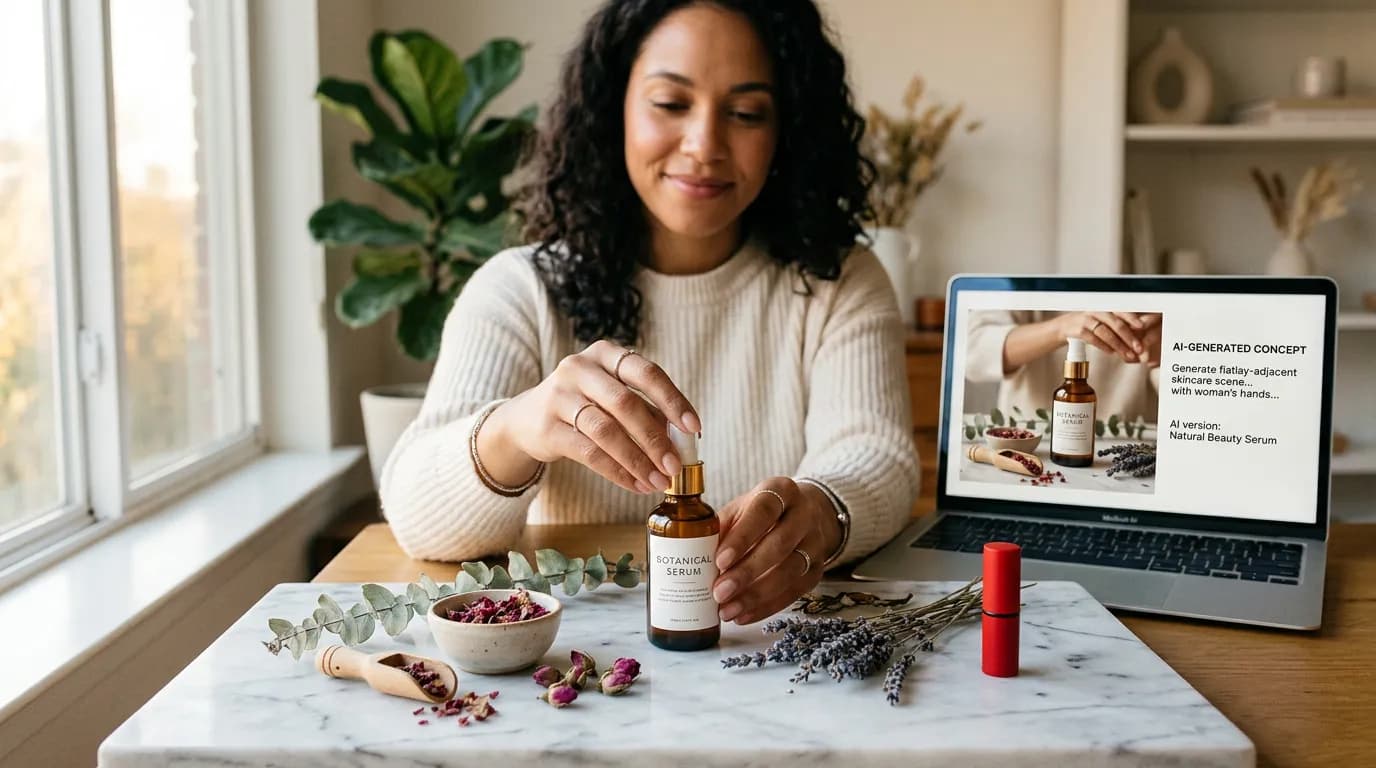
Beauty. Strong for packaging shots, ingredient-forward compositions, and clean product-on-white. Weaker for showing texture changes like cream swatches or foam, which still benefit from a real shot. Liquid refraction in clear bottles can look slightly off in edge cases.
Food. Mixed. AI produces great lifestyle context shots of packaged food, pantry items, and beverages in branded packaging. It is still unreliable for fresh or prepared food where texture, steam, and imperfection sell the item. For menu photography or cookbook-style images, real photography is usually still the better call.
Consumer electronics. Strong for product-on-white and clean catalog shots. Weaker for anything involving screen content, where AI either invents interface details or drops them entirely. The fix is to generate the hardware in AI, then composite a real screen capture on top.
Furniture. Strong for lifestyle context, where AI generates a room, lighting, and staging around your product. Be careful with proportions: AI can render a sofa that looks great but is subtly the wrong scale next to a side table. Provide accurate dimensions in your prompt or validate the output against a reference shot.
Jewelry. The hardest category. Reflective metals, faceted stones, and tiny details push AI to its current limits. It can produce beautiful stylized shots for social content, but for the main listing image buyers want a real macro photo of the actual piece. Use AI here for lifestyle and marketing imagery, not for the PDP hero.
Across all categories, AI-generated photos work well when the product is already recognizable and the image is doing brand and context work. They work less well when buyers need to inspect physical accuracy before they buy. The fundamentals of professional product photography still apply. The goal is to give the buyer enough visual information to commit. A pretty picture that obscures real detail is worse than a plainer one that shows it.
Generating product shots: backgrounds, lighting, and angles
The key to great AI product photography is controlling the three core variables: background, lighting, and angle. Start with a clean product image, then use category-specific tools to place it against appropriate backgrounds with controlled lighting.
Different products benefit from different approaches. White backgrounds for catalog shots. Lifestyle contexts for social media posts. Dramatic lighting for premium positioning. The best workflow generates multiple versions of each product across these variables.
Lifestyle shots without a set or a model
Lifestyle photography traditionally requires renting a location, hiring models, and coordinating a production crew. AI eliminates all of that. Place your product in a kitchen, on a beach, or in a modern office without ever leaving your desk. This is where the economics shift most dramatically, because a lifestyle shoot used to be the most expensive line item in a product launch. Our full guide on AI lifestyle photography with no models or budgets covers the production-ready workflow in more detail.
The quality of AI lifestyle shots depends heavily on the tool and the level of control it offers. Guided tools that let you specify the scene context, lighting, and composition produce more realistic and brand-appropriate results than generic prompts. When you review output, check whether the product sits plausibly inside the scene (with correct shadows on whatever surface it is on), whether the scale looks right next to surrounding objects, and whether the lighting on the product actually matches the light sources visible in the scene. Shots that fail those checks tend to look subtly off to buyers even if they cannot say why.
Maintaining consistency across your catalog
When you have dozens or hundreds of products, visual consistency across your catalog is essential. Customers notice when product images have different lighting, different backgrounds, or different styling. It looks unprofessional and erodes trust.
Brand kits and saved generation settings solve this problem. Define your visual standards once, and every product image you generate inherits those settings. Same lighting temperature, same background style, same overall feel.
Platform-specific requirements
Every platform has different image requirements. A good AI product photography workflow accounts for these requirements upfront. Generate your base product image once, then create platform-specific variations using editing and resizing tools. This is far more efficient than creating separate images for each platform from scratch.
Before looking at any single platform, it helps to have a four-part framework for thinking about requirements. These are the variables that change from one marketplace to another, and the ones your workflow needs to handle cleanly:
- Pixel dimensions and aspect ratio. The non-negotiable. Amazon requires at least 1000px on the longest side for zoom. Etsy recommends 2000x2000. Shopify has no hard minimum but rewards 2048x2048 for its built-in zoom. Plan your base render at the largest size you need, then downscale.
- Background rules. Some platforms require pure white (Amazon main image). Some reward lifestyle (Etsy). Some let you choose (Shopify, WooCommerce). Pick a base generation that covers the strictest rule, then add lifestyle variants.
- File format and compression. Most platforms accept JPG and PNG. Watch for size caps per file and total gallery size. WebP is sometimes accepted for storefront themes but not always for marketplace uploads.
- Number of image slots. Amazon gives you up to nine. Etsy gives you ten. Shopify gallery size is theme-dependent. Plan a content mix for each slot rather than filling them with near-duplicates.
Once you know those four variables for each platform you sell on, the rest is production. Here is how the main platforms break down.
AI product photos for Amazon
Amazon requires a pure white background (RGB 255,255,255) for main listing images, with the product filling at least 85% of the frame. AI generation handles this perfectly. Generate your main image on white, then create lifestyle infographic images for the secondary slots that show your product in context and highlight key features. For a deeper walkthrough of Amazon-specific generation and a checklist against Seller Central rules, see our complete Amazon seller's guide to AI product photography.
AI product photos for Etsy
Etsy buyers respond to lifestyle context and handmade aesthetics. AI-generated lifestyle shots that place your product in warm, inviting settings perform significantly better than plain product-on-white images. Generate multiple lifestyle variations showing your product in different seasonal and lifestyle contexts to fill all ten image slots. The Etsy seller's playbook for AI product photos walks through slot-by-slot recommendations and mockup templates you can reuse.
AI product photos for Shopify
Shopify stores benefit from visual consistency across the entire catalog. Use Adverra's Brand Kit feature to lock in your store's visual identity, then generate every product image from the same brand foundation. This creates the polished, cohesive look that builds customer trust and increases conversion rates. Generating multiple camera angles from a single product shot is also useful here, because Shopify's product gallery rewards sellers who fill every slot with a distinct view rather than minor variations.
AI product photos for WooCommerce
WooCommerce is the most flexible of the big platforms. There are no rigid marketplace rules like Amazon's, and no platform-imposed aspect ratio. That flexibility is a double-edged sword: your images have to be consistent on their own, because the platform will not enforce it for you.
The common sizes that work well across most WooCommerce themes are 800x800 for the catalog thumbnail and 1200x1200 for the product detail page with zoom enabled. Square aspect ratio is the safest default because Gutenberg block layouts, related-product widgets, and most theme grids assume a 1:1 container. Generate in square, then crop to banner or portrait formats only for specific placements.
The bigger challenge on WooCommerce is catalog consistency across stores that grow over time. When you add a new product a year after launch, the lighting, background, and styling should match the rest of the catalog or the storefront starts to look patched together. Adverra's Brand Kit is designed for this case. Save your catalog standards once at launch (background, lighting temperature, shadow style, composition rules), and every generation after that inherits the same settings without you having to remember them.
AI product photos vs. real photos: when to use which
AI product photography is not a complete replacement for real photography in every case. Products with complex textures, custom finishes, or unique physical properties may still benefit from a real photo session. Food photography, in particular, often requires real shots for the most appetizing results.
The practical approach is to use AI for the majority of your product catalog and reserve real photography for hero products, packaging launches, and situations where physical accuracy is critical. This hybrid approach gives you the best of both worlds at a fraction of the cost.
5 AI product photography tools compared
The AI product photography space has crowded up in the last two years. Most tools solve a slightly different problem, and the right pick depends on whether you care more about marketplace-ready output, brand consistency, or raw editing flexibility. Here is a factual comparison of five tools sellers evaluate most often.
| Tool | Pricing model | Free tier | Best for | Platform integrations | Marketing-specific features |
|---|---|---|---|---|---|
| Adverra | Pay-per-use credits, no expiration | Starter credits on sign-up | Marketers and e-commerce sellers who want brand-consistent output across a catalog | Direct download, Canva integration | Brand Kit, Model Casting, camera angles, ad-ready aspect ratios |
| Pebblely | Subscription-based with credit packs | Limited free trial | Solo sellers and small shops generating background scenes | Direct download | Scene templates and background presets |
| Flair.ai | Subscription-based | Limited free generations | Creative teams who want drag-and-drop scene composition | Direct download, API | Scene builder, multi-product composition |
| Claid | API-first with usage tiers | API trial available | Catalogs at scale and developer-led workflows | API, integrations for e-commerce platforms | Bulk cleanup, background replacement, upscaling |
| Booth.ai | Subscription-based | Limited free trial | Brands generating on-model fashion and lifestyle shots | Direct download | On-model generation, fashion-specific workflows |
Specifics like tier pricing, exact credit costs, and feature availability change often. Check each vendor's current pricing page before committing. The more important question is which problem you are trying to solve: catalog consistency, on-model generation, bulk cleanup, or scene composition. Most teams end up with one primary tool and occasionally reach for a specialist for edge cases.
Adverra's differentiator in this group is the combination of pay-per-use pricing, Brand Kit enforcement across generations, and marketing-specific outputs like aspect ratios and ad-ready templates. If your use case is predominantly catalog work with some lifestyle and ad creative on top, that mix tends to be cheaper and more consistent than stacking two or three specialist subscriptions.
Common mistakes with AI product photography
Most problems with AI product photography are not model problems. They are workflow problems. Here are the five mistakes that show up most often in real catalogs, and what to do about them.
Inconsistent lighting across the catalog. You generate your first ten products on a bright soft-box setup, then generate the next ten a month later on a moodier setting, and the catalog starts to look like two different stores. Fix: lock a lighting preset on day one and run every product through it, even the quick additions. Brand Kits or saved generation profiles enforce this automatically.
Ignoring platform aspect ratios. You generate everything at 16:9 for social, then scramble to crop for Amazon's 1:1 main image slot and lose the top or bottom of the product. Fix: generate square by default and crop outward to widescreen for specific placements. Use the platform framework earlier in this post to set the ratio before you generate, not after.
Over-editing that breaks product accuracy. AI tools will happily make your product look better than it actually is, with richer colors, smoother surfaces, and cleaner proportions. Customers notice when the product arrives and does not match. Fix: review every generated image against a reference photo of the real product. Small styling improvements are fine, but silhouette, color, and material should stay honest.
Missing or generic alt text and metadata. AI does not write your alt text for you, and "product photo" in the alt field is a lost SEO opportunity and an accessibility failure. Fix: write descriptive alt text per image, include key product attributes, and fill in file names and metadata before upload. This matters for search visibility on Shopify and WooCommerce in particular.
Using AI for products where physical accuracy is critical. Reflective metals, faceted stones, complex weaves, and screens are still categories where AI will underperform a real photo on the main listing image. Fix: use AI for lifestyle and marketing imagery in those categories, and keep a real macro shot as the primary PDP image.
Ready to upgrade your product photography? Explore Adverra's full feature set or check out our guide on AI lifestyle photography without models or budgets. For cost-effective, pay-as-you-go pricing, see our pricing page.